

Overview
Templates are reusable sets of research questions inside Thurro Answers.
They allow you to save commonly used analytical questions so you can apply them repeatedly across companies, sectors, or themes without retyping them each time.
Templates form one of the core building blocks of the Tasks workflow, where they can be combined with Master Lists to run structured research automatically.
Think of Templates as your library of analytical frameworks — ready to deploy whenever you need them.
Why use Templates
Templates help you:
- Save frequently used research questions
- Maintain consistency across company or sector analysis
- Build structured analytical frameworks
- Avoid retyping the same questions repeatedly
- Power automated research workflows through Tasks
Types of Templates
Community Templates
Community Templates are public, pre-built question frameworks created by the Thurro team.
These templates are designed to help you get started quickly with commonly used analytical structures.
Examples include:
- Company deep-dive analysis
- Sector landscape analysis
- Conference call insights
My Templates
My Templates are private templates you create for your own research workflows.
You can build customised question sets tailored to:
- Company analysis
- Sector comparisons
- Investment research
- Industry deep-dives
My Templates are:
- Fully editable
- Visible only within your workspace
- Reusable across Tasks and research workflows
How to create a Template
Step 1 –Open the Tools section
Navigate to the Tools section in the platform and select Templates.
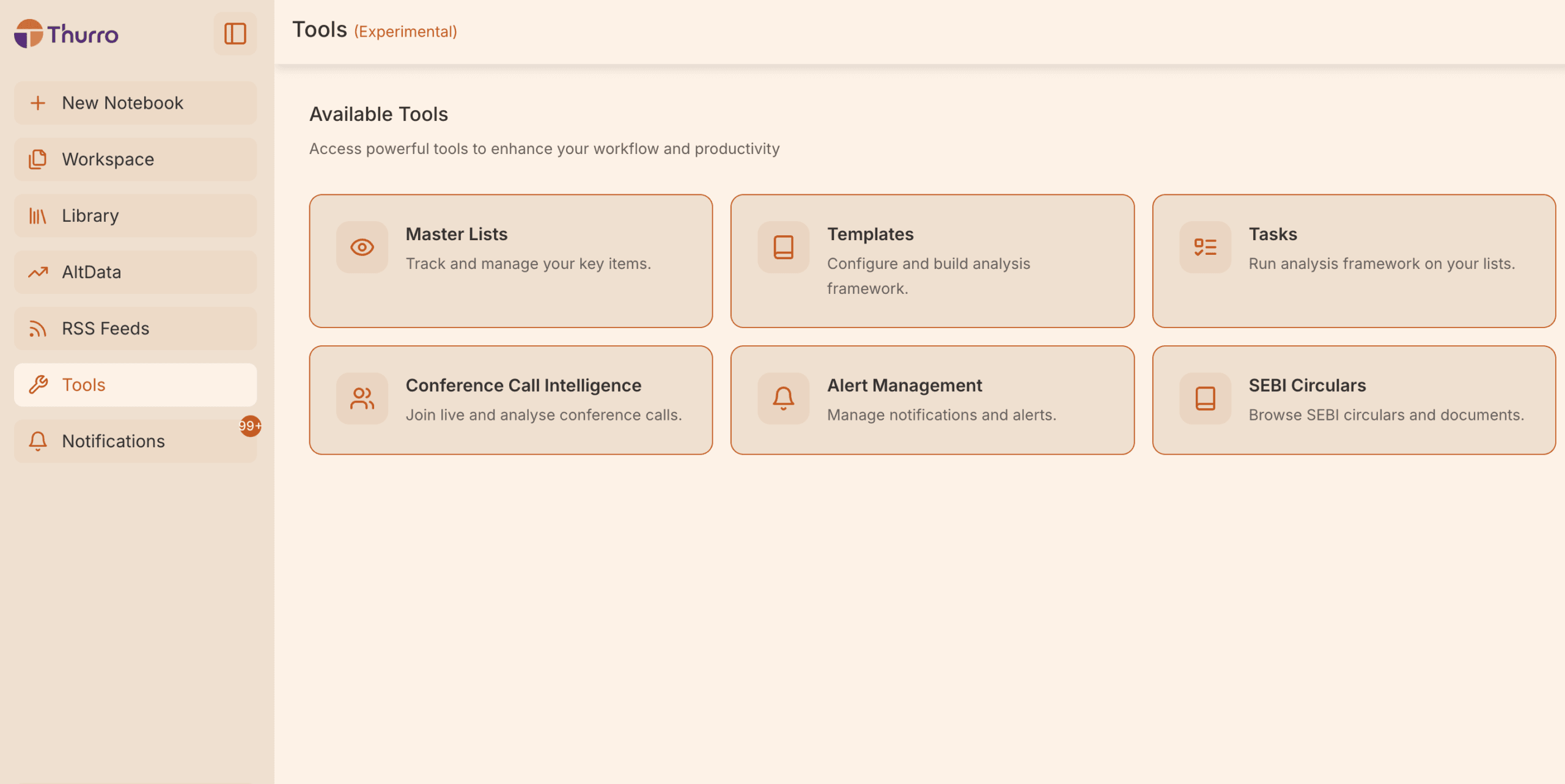
You will see two sections:
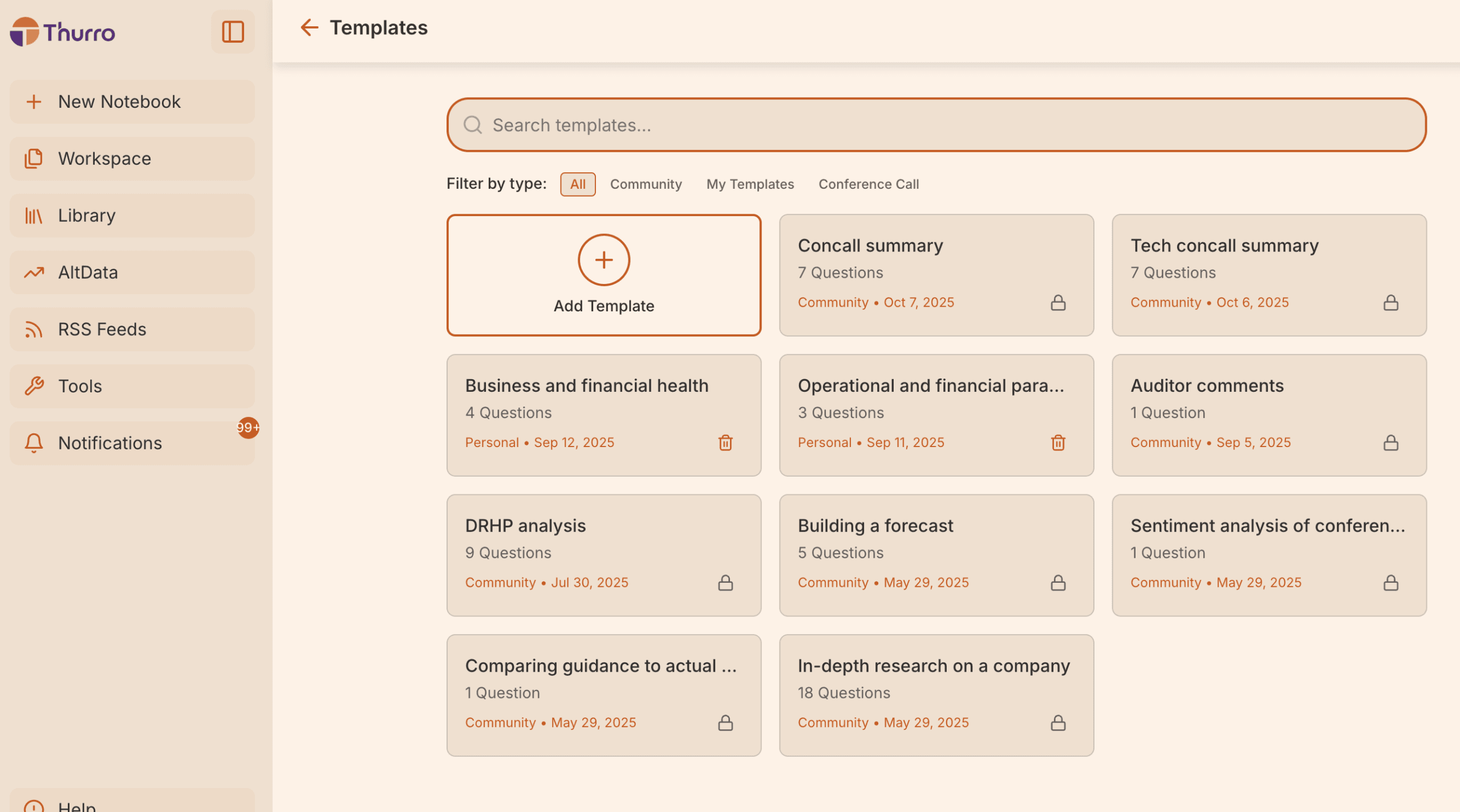
- Community Templates
- My Templates
Step 2 – Create a new Template
Click Add Template to start creating a new template.
You will be prompted to enter a name for your template.
Choose a name that reflects the type of analysis the questions will perform.
Examples:
- Company fundamentals
- Competitive landscape
- Management quality analysis
- Sector deep-dive questions
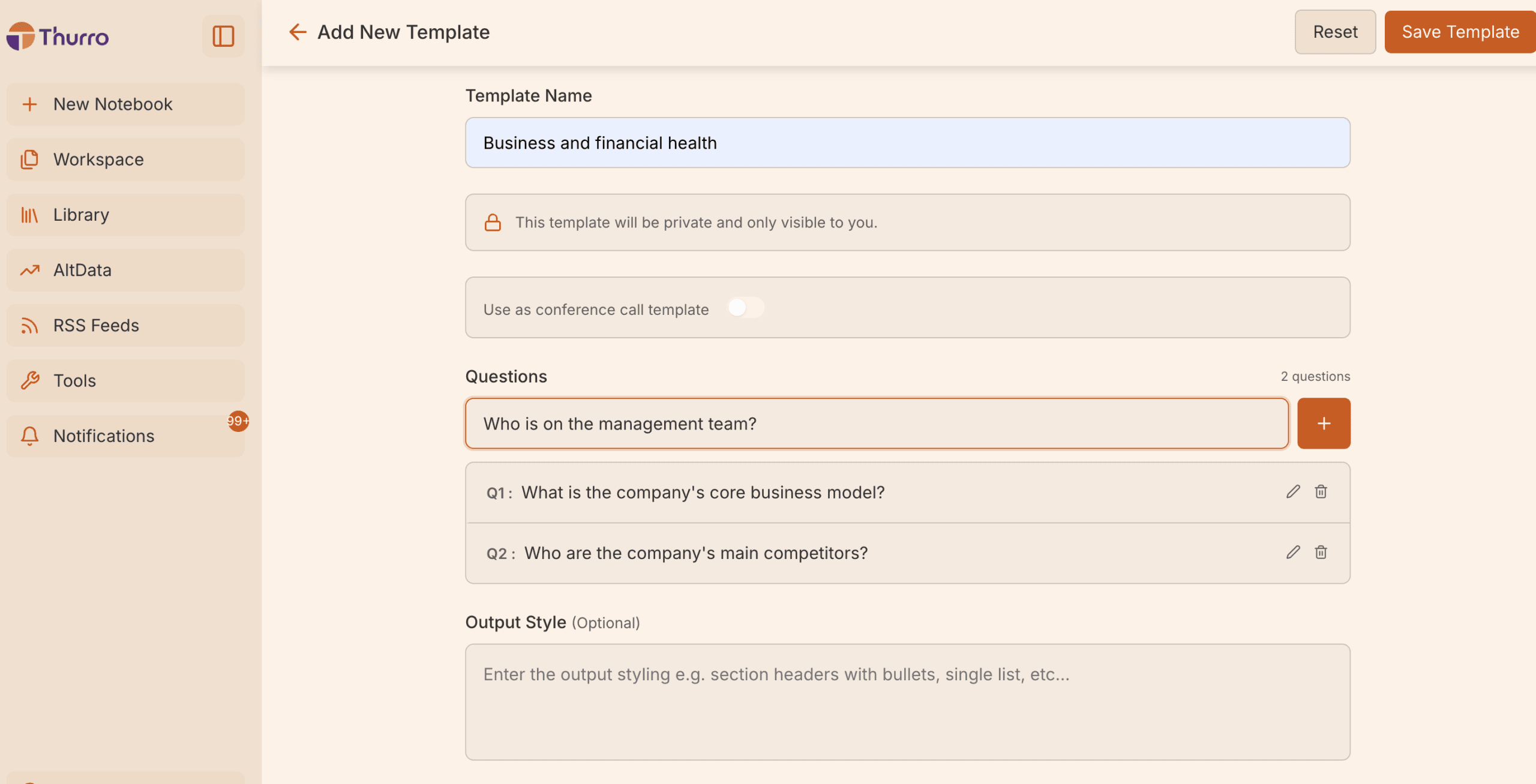
Step 3 – Add your research questions
Start typing the questions you want to repeatedly ask during research.
For example:
- What is the company’s core business model?
- Who are the company’s main competitors?
- Who is on the management team?
- What are the company’s key financial ratios?
After entering each question, click Add (or the + icon) to include it in the template.
Continue adding questions based on the analytical framework you want to build.
Step 4 – Save the Template
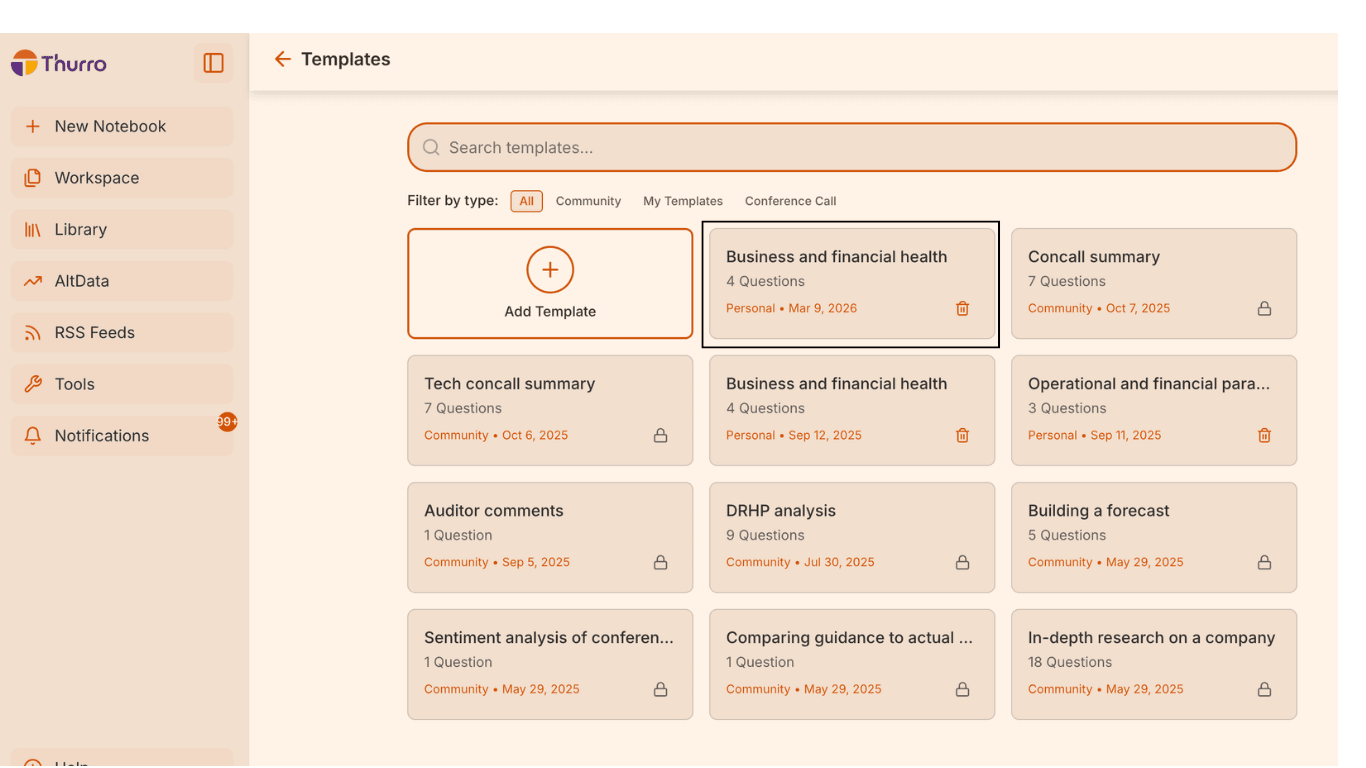
Once you have added all your questions, click Save Template.
Your question set will now be saved and will appear in the My Templates section.
You can now reuse this template whenever you run research workflows.
Editing or updating a Template
Templates can be updated at any time.
Within My Templates, you can:
- Add new questions
- Edit existing questions
- Reorder questions
- Delete questions you no longer need
This allows your research framework to evolve as your analytical approach develops.
Best practices
To get the most value from Templates:
Keep question sets structured
Group questions around a clear analytical objective such as business model analysis or financial evaluation.
Use clear template names
Names like Private Banks, EV Supply Chain, or Consumer Staples Leaders make lists easier to reuse.
Build modular frameworks
Instead of creating very long templates, create smaller templates for different types of analysis.
Why use Templates?
Templates streamline your research workflow by:
- Standardising how you analyse companies and sectors
- Reducing repetitive question entry
- Creating reusable analytical frameworks
- Powering structured research through Tasks
When combined with Master Lists, Templates enable automated research workflows across multiple companies or themes.