

Overview
A Master List is your personalised tracking layer inside Thurro Answers.
It defines the companies, themes, or keywords you want to monitor, analyse, and include in Tasks workflows. Master Lists act as dynamic containers that organise your research universe.
Why use Master Lists
Master Lists help you:
- Group related companies or themes
- Track evolving research areas
- Avoid repetitive entity selection
- Power Tasks automation
Types of Master Lists
Community Master Lists
Public, pre-built, and expertly curated by the Thurro team. These provide immediate access to standard market segments. Examples include:
- Nifty indices
- Sectoral baskets
- Thematic trackers
My Master List
Your private, personalised workspace where you can add, name, and edit your own selection of keywords or companies, tailoring your intelligence feed to your specific requirements.
- Fully editable
- Visible only within your workspace
How to create a Master List
Step 1 –Open the Tools section
Navigate to the Tools section in the platform and select Master Lists.
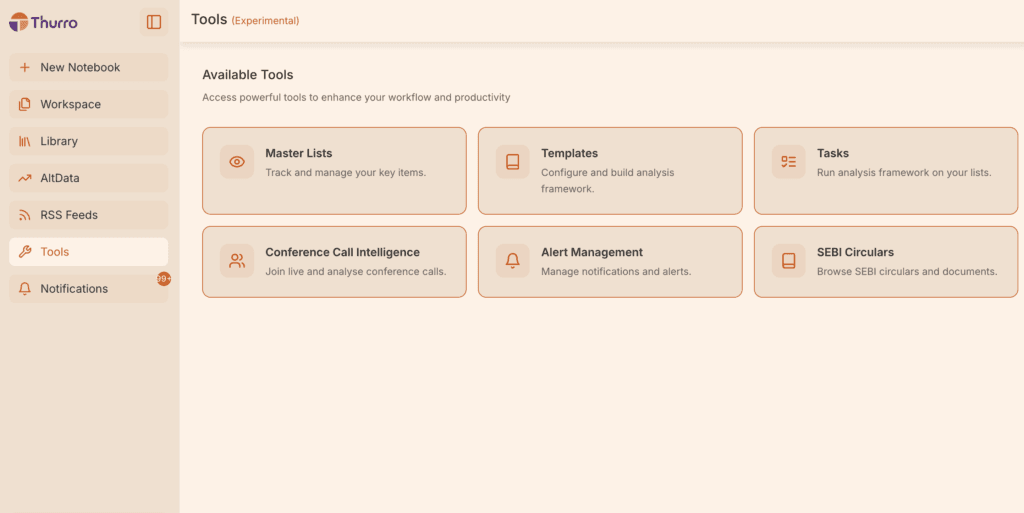
You will see two sections:
- Community Master Lists
- My Master Lists
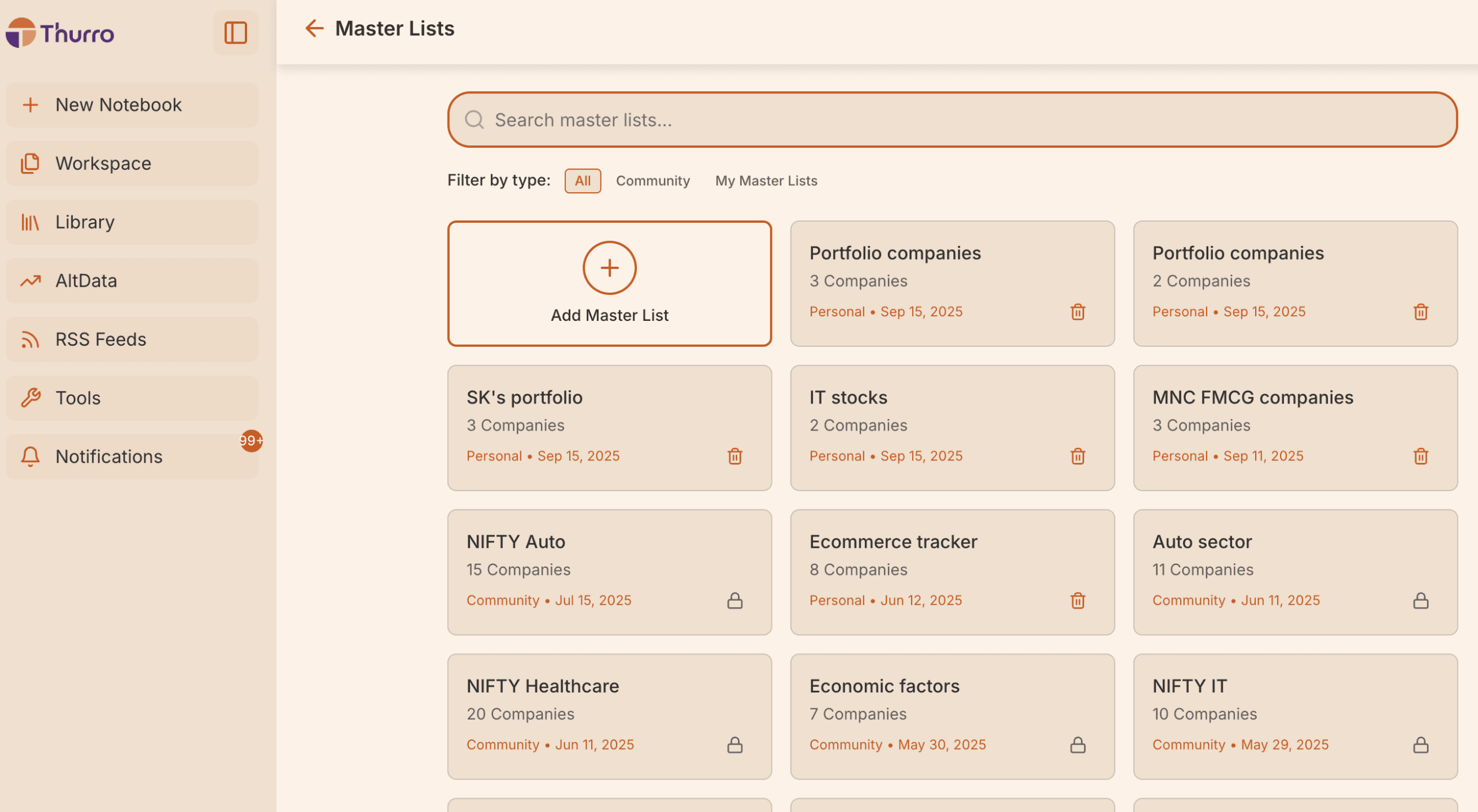
Step 2 – Create a new Master List
Click Add Master List to start creating a new list.
You will be prompted to enter a name for your list.
Choose a name that reflects what you want to track. Examples include:
- EV ecosystem companies
- FMCG leaders
- Auto ancillary suppliers
- Companies to track for earnings
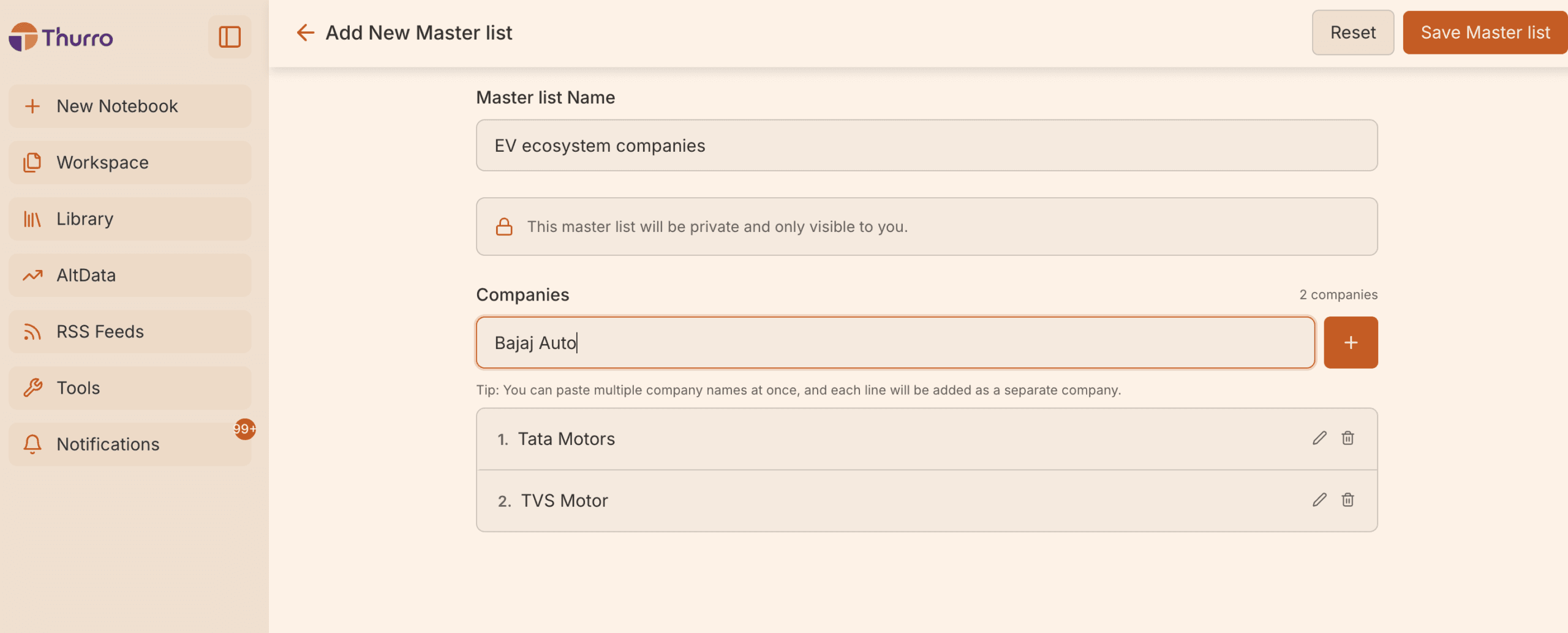
Step 3 – Add companies or keywords
Start typing the companies, themes, or keywords you want to track. Examples include:
- Tata Motors
- Maruti Suzuki
- EV battery supply chain
- Interest rates
- Semiconductor demand
Click Add after each entry to include it in your list.
You can add as many items as required.
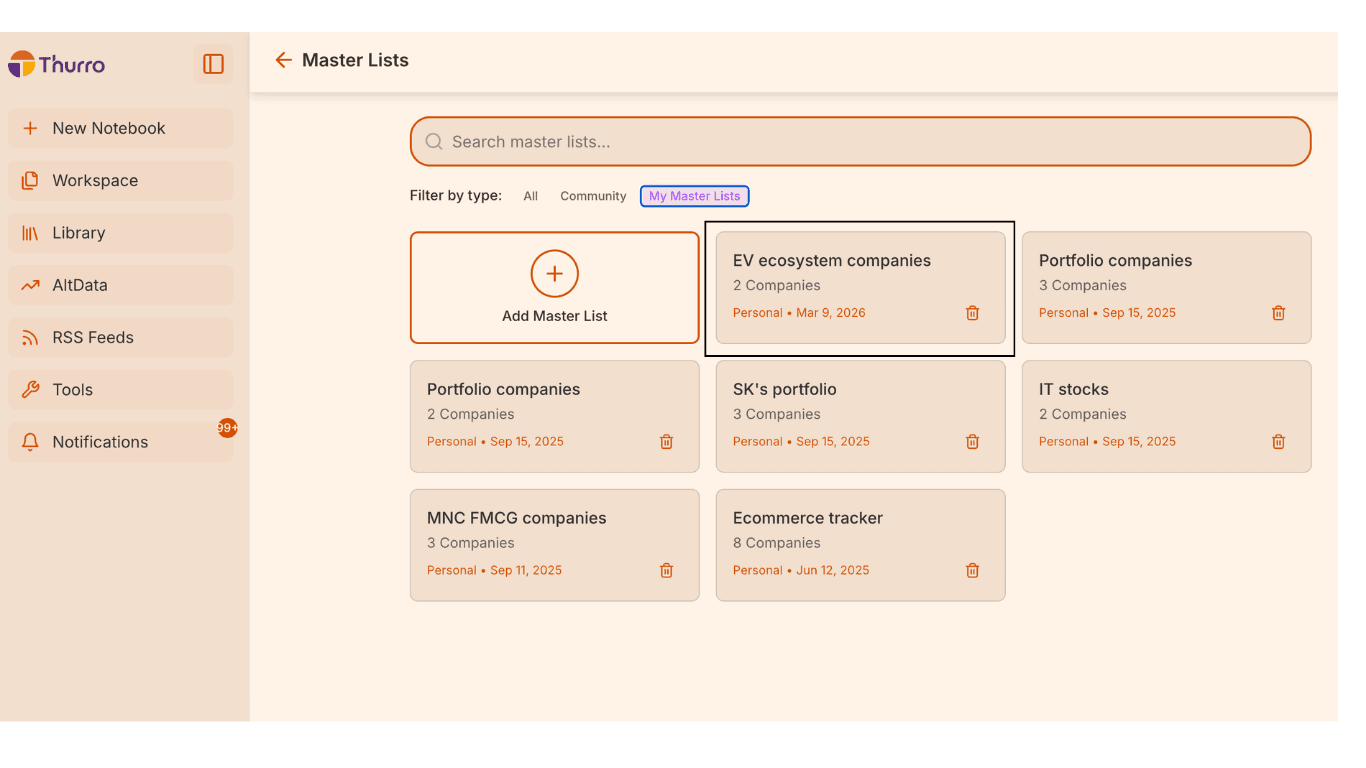
Step 4 – Save the Master List
Once all items are added, click Save Master List.
Your list will now appear in the My Master Lists section.
Editing or updating a Master List
You can modify your lists anytime.
Within My Master Lists, you can:
- Add new companies or keywords
- Remove existing entries
- Update the list name if required
This allows your tracking universe to evolve with your research focus.
Best practices
To get the most value from Master Lists:
Keep lists focused
Instead of creating one large list, organise them by theme or sector.
Use clear naming
Names like Private Banks, EV Supply Chain, or Consumer Staples Leaders make lists easier to reuse.
Update lists periodically
Add or remove companies as industries evolve or as your research focus changes.
Why use Master Lists?
Master Lists help streamline your research workflow by:
- Organising tracked companies and themes in one place
- Reducing repetitive data entry
- Making it easier to reuse entities across research tasks
- Keeping your research universe structured